RPG Locale
A downloadable asset pack for Windows, macOS, and Linux
Credits: RyanBram
Hi everyone — let's celebrate!
RPG Maker MV turned 10 years old — a decade of creativity, unforgettable projects, and a thriving community. To honor that milestone, I'm excited to introduce rpg_locale is a lightweight, developer-friendly i18n system built specifically for RPG Maker MV.
It gives you fast, flexible multi-language support, tools to extract and edit text, and an offline automatic translation option so you can localize quickly and privately — no internet required.
Why you need it?
Localization shouldn't slow you down. Whether you're building an indie RPG or updating an older project, rpg_locale helps you:
- Reach more players with multi-language support.
- Speed up translation workflows with smart extraction tools.
- Translate securely and quickly without depending on online services.
Core features
- Translation Helper — automatically extract text from your JSON files so you can send clean, organized payloads to translators or translation tools.
- Editable Translation UI — review and edit every string inside an editor-friendly interface, perfect for manual refining and context-aware corrections.
- Local Automatic Translator — a built-in offline translator that supports many languages without internet access; ideal for rapid prototyping and private, local builds.
- rpg_locale.js plugin — ready to install via the RPG Maker MV Plugin Manager for instant multi-language support; includes automatic word-wrap support that inserts line breaks where appropriate to preserve layout and readability.
Designed for creators
RPG Locale is built with RPG Maker MV conventions in mind:
- Easy integration: drop the plugin into your project and it detects standard JSON structures used by MV.
- Non-destructive workflow: extracted strings are tracked separately so your original files remain intact until you apply changes.
- Extensible: add custom translation backends or export formats to fit your pipeline.
How to get started
- Install the plugin in your project's
js/pluginsfolder. - Run the Translation Helper to extract strings from your JSON assets.
- Edit translations using the built-in editor, or export the bundle for external translators.
- Use the local automatic translator for quick bulk translations, then refine manually for best results.
Use cases
- Rapid multi-language playtests during development.
- Community-driven localization with clear extraction and import tools.
- Private, offline translation workflows for studios that need local-only processing.
Part of RPG Maker MV Ace
rpg_locale.js is part of the RPG Maker MV Ace project — an effort to modernize the MV engine with current web technologies and meaningful quality-of-life improvements for game developers.

Learn more on the RPG MV Ace project page .
How you can help
Your support keeps projects like this alive. Here’s how you can make a difference today:
- Share the plugin in community spaces: share demos, post showcases, and spread the word.
- Financial support: the plugin is free and open source forever, but if you’d like to fund continued development, donations are welcome.
License & Usage
- Author: RyanBram
- License: Apache License (royalty-free for commercial use)
- Non-commercial use: free
- Commercial use: free
- Redistribution: allowed
- Editing: allowed
- Redistribution after editing: allowed
- Series: Part of RPG Maker MV Ace
Special Thanks
A big thanks to the RPG Maker community for a decade of creativity, feedback, and inspiration.
Best regards,
(RyanBram)
Download
Click download now to get access to the following files:

Comments
Log in with itch.io to leave a comment.
Hello, I have a question about your translation plugin: I am using your RPG Locale plugin. I created a translation file for Map003 using the Translator Helper tool included with the plugin. The Map003_i18n.json file was generated with the "fr" key. The problem is that the plugin loads the file but does not find the "fr" key. Error message: "Language fr not found in Map003". I’ve tested various settings (Source Language, Default Language, Available Languages), but nothing works. Do you have any idea why the plugin isn't recognizing the "fr" key, even though the file was generated using your tool? Thanks. ---
Hey, I need to ask. If the text gets translated and makes the text sting shorter or longer, will that affect the engine? Like dialogue showing up in an event it's not supposed to?
Wow, this tool is fantastic! Is there any hope for an MZ version?
Could you use this for spell checking, like can a new verison of the english Json overwrite the old one?
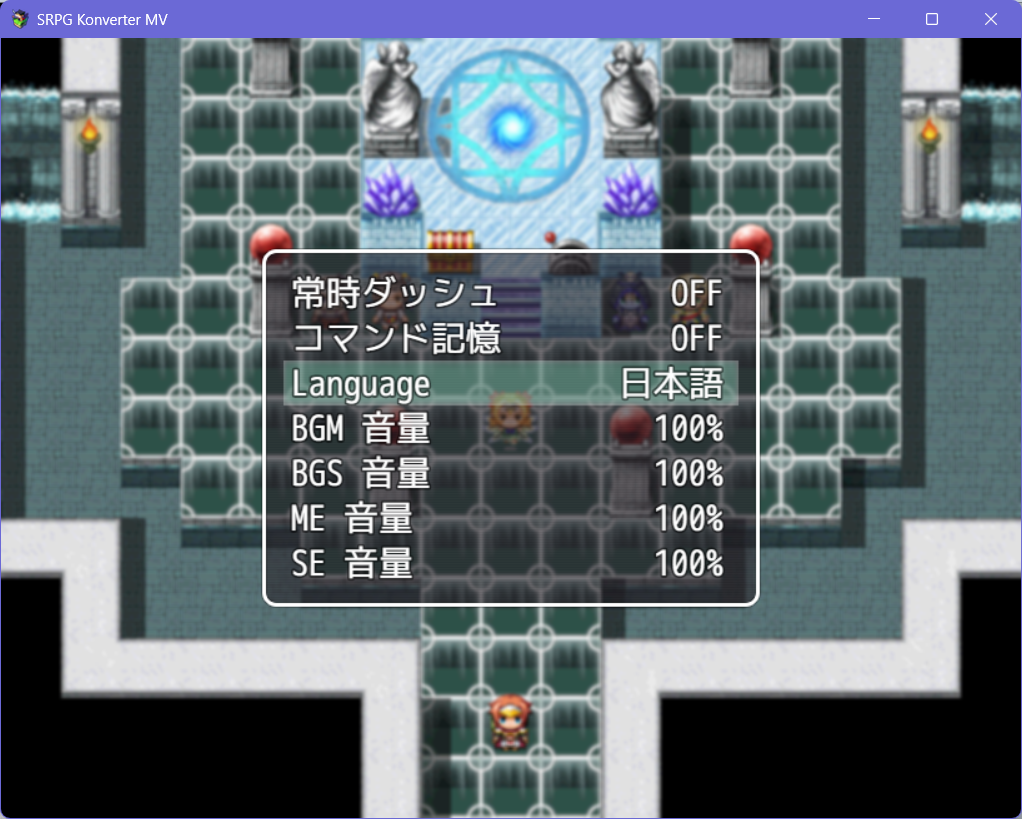
For some reason, everything works fine, but switching languages doesn't. Is there a demo or a completed game so I can see how it works?
I require some help getting the translate to work. I downloaded the JSON file and put the plugins into my project, the translation doesn't seem to show up.
Hi, thank you for using the plugin.
1. Put the resulting _i18n.json to ./data/locales
2. Have you tried to set the source language and target language in plugin parameter? Make sure the source language is same with your original json, not "_i18n.json".